Tape effect · VST3 · CLAP
WARBLER
Warp pitch and time like tired tape. Wobble it, octave it, glitch it to pieces.
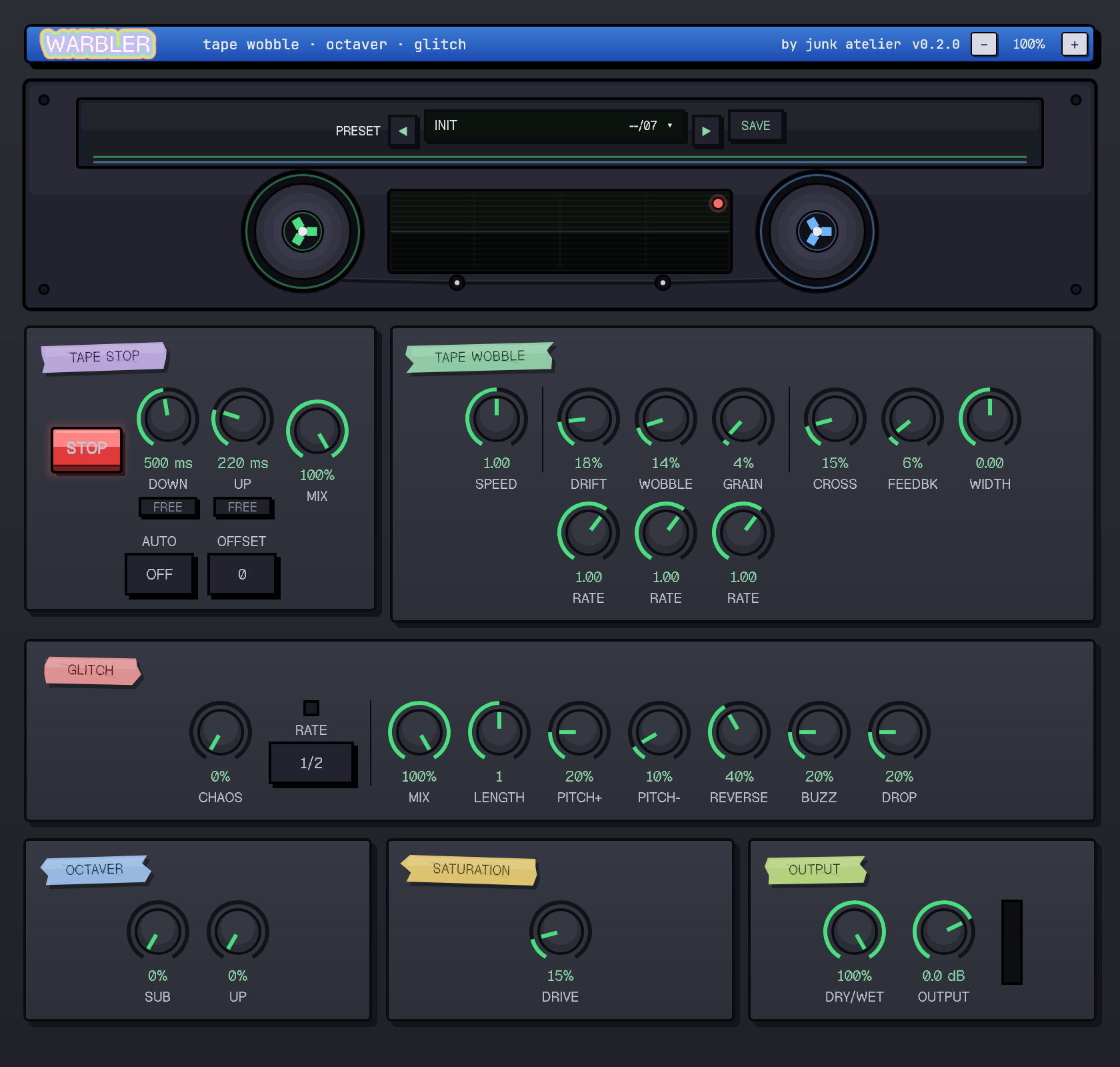
Speed, drift, wobble and grain across three LFO rates. Bends pitch and timing like worn tape: a faint flutter, or full seasick warble.
Buffer stutters, reverses and pitch drops locked to a beat division. Density and mix dial it from tasteful to falling apart.
A sub for weight, an upper for shimmer, mixed straight into the dry signal. Thickens a part or haunts it.
Tape drive to glue the mangling together: a warm push, then a dirty crunch when you lean on it.
A STOP button that spins the sound down to a halt like a deck losing power. AUTO, OFF or FREE, with its own ramp time.
VST3 + CLAPWindows 64-bitFree demo with periodic mute
macOS is not available yet. Want Warbler on a Mac? Get in touch and we will work out a solution.
Before you buy
- Which DAWs does it work in?
- Any host that loads VST3 or CLAP plugins: FL Studio, Ableton Live, Studio One, Cubase, Reaper, Bitwig, Cakewalk and more. Windows 64-bit for now.
- How heavy is it on CPU?
- Light. The processing is single-precision with no oversampling, so you can run several instances on a modern machine without trouble.
- Does it add latency?
- No. Warbler reports zero latency and runs in real time, so it is safe on live inputs and on the master bus.
- How do I install it?
- Drop the files in by hand. The download is a ZIP: unzip and copy
Warbler.vst3andWarbler.clapinto your VST3 and CLAP folders. A short INSTALL.txt walks you through it.